
In large-scale applications, you often need to create families of related objects without tightly coupling your code to specific implementations. The Abstract Factory Design Pattern is designed exactly for this purpose.

This is one of the most popular Creational Design Patterns in C#, and it provides a framework for creating entire product families while keeping your code flexible and scalable.
In this article, we’ll explore the Abstract Factory Pattern in C# with examples, real-world analogies, advantages, and when to use it.
🔹 What is the Abstract Factory Pattern?
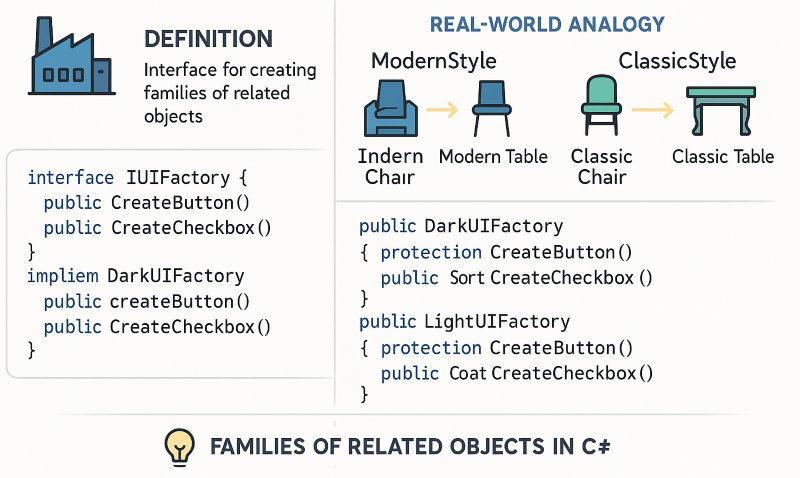
The Abstract Factory Pattern is a Creational Design Pattern that provides an interface for creating families of related objects without specifying their concrete classes.
👉 Think of it as a super-factory that creates other factories.
Instead of the client instantiating objects directly, it delegates the responsibility to a factory object. This keeps the client code independent of the actual product implementations.
🔹 Structure of Abstract Factory
The pattern usually consists of:
- Abstract Factory (Interface) → Declares creation methods for products.
- Concrete Factories → Implement methods to create concrete products.
- Abstract Products → Define interfaces for product families.
- Concrete Products → Actual implementations created by factories.
- Client → Uses the factory but never directly instantiates objects.
🔹 Abstract Factory Example in C#
Let’s implement an example where we have two UI themes: Dark Theme and Light Theme. Each theme provides related UI components like Button and Checkbox.
// Step 1: Abstract Products
public interface IButton
{
    void Render();
}

public interface ICheckbox
{
    void Render();
}

// Step 2: Concrete Products
public class DarkButton : IButton
{
    public void Render() => Console.WriteLine("Rendering Dark Button");
}

public class LightButton : IButton
{
    public void Render() => Console.WriteLine("Rendering Light Button");
}

public class DarkCheckbox : ICheckbox
{
    public void Render() => Console.WriteLine("Rendering Dark Checkbox");
}

public class LightCheckbox : ICheckbox
{
    public void Render() => Console.WriteLine("Rendering Light Checkbox");
}

// Step 3: Abstract Factory
public interface IUIFactory
{
    IButton CreateButton();
    ICheckbox CreateCheckbox();
}

// Step 4: Concrete Factories
public class DarkUIFactory : IUIFactory
{
    public IButton CreateButton() => new DarkButton();
    public ICheckbox CreateCheckbox() => new DarkCheckbox();
}

public class LightUIFactory : IUIFactory
{
    public IButton CreateButton() => new LightButton();
    public ICheckbox CreateCheckbox() => new LightCheckbox();
}

// Step 5: Client
public class Application
{
    private readonly IButton _button;
    private readonly ICheckbox _checkbox;

    public Application(IUIFactory factory)
    {
        _button = factory.CreateButton();
        _checkbox = factory.CreateCheckbox();
    }

    public void RenderUI()
    {
        _button.Render();
        _checkbox.Render();
    }
}
Usage:
IUIFactory factory = new DarkUIFactory();
var app = new Application(factory);
app.RenderUI();

// Output:
// Rendering Dark Button
// Rendering Dark Checkbox
🔹 Real-World Analogy
Imagine you’re ordering furniture from two brands: ModernStyle and ClassicStyle.
- If you choose ModernStyle, you’ll get a Modern Chair and a Modern Table.
- If you choose ClassicStyle, you’ll get a Classic Chair and a Classic Table.
Both brands provide families of related products, but you don’t need to worry about the details. You just say “I want ModernStyle furniture”, and the factory gives you consistent objects.
👉 That’s exactly how Abstract Factory works in software design.
🔹 Advantages of Abstract Factory Pattern
✅ Encapsulation of Object Creation – Clients don’t know which specific class is used.
✅ Consistency in Families – Ensures related objects (e.g., Dark Button + Dark Checkbox) work together.
✅ Scalability – Easy to introduce new product families without modifying existing client code.
✅ Loose Coupling – Client depends on abstractions, not concrete implementations.
🔹 When to Use Abstract Factory in C#
- When your system should be independent of how its objects are created.
- When you need to work with multiple families of related products.
- When you want to enforce consistency among products (e.g., UI themes, OS-specific widgets).
🔹 Abstract Factory vs Factory Method
| Feature | Factory Method | Abstract Factory |
|---|---|---|
| Focus | Creates one type of object. | Creates families of related objects. |
| Complexity | Simpler, single product. | More complex, multiple related products. |
| Example | Vehicle Factory (Car, Bike). | UI Factory (Button, Checkbox, Dropdown). |
🏆 Conclusion
The Abstract Factory Design Pattern in C# is a powerful creational pattern used for creating families of related objects without tightly coupling your code.
It’s especially useful in UI frameworks, cross-platform applications, and enterprise systems where consistency across multiple products is required.
By learning this pattern, you gain flexibility, maintainability, and scalability in your applications—making it a must-know for .NET developers and software architects.